Explore Your Desktop: Unlock Hidden Features
Welcome to the digital age, where our workspaces have evolved from physical desks to electronic ones. The desktop, a part of the graphical user interface (GUI), has become our primary workplace, offering a vast, customizable canvas for productivity. But navigating this space can be a challenge, especially for those new to it. Let's explore the desktop, its features, and tricks to help you make the most of your digital workspace.
At its core, the desktop is where all open applications are displayed. It's your hub for tasks, allowing you to multitask seamlessly. But before we dive into the core elements, let's understand the hidden aspects that can enhance productivity.
Understanding Your Desktop
The desktop is designed to be user-friendly, yet there are aspects often overlooked. Let's start with the basics.


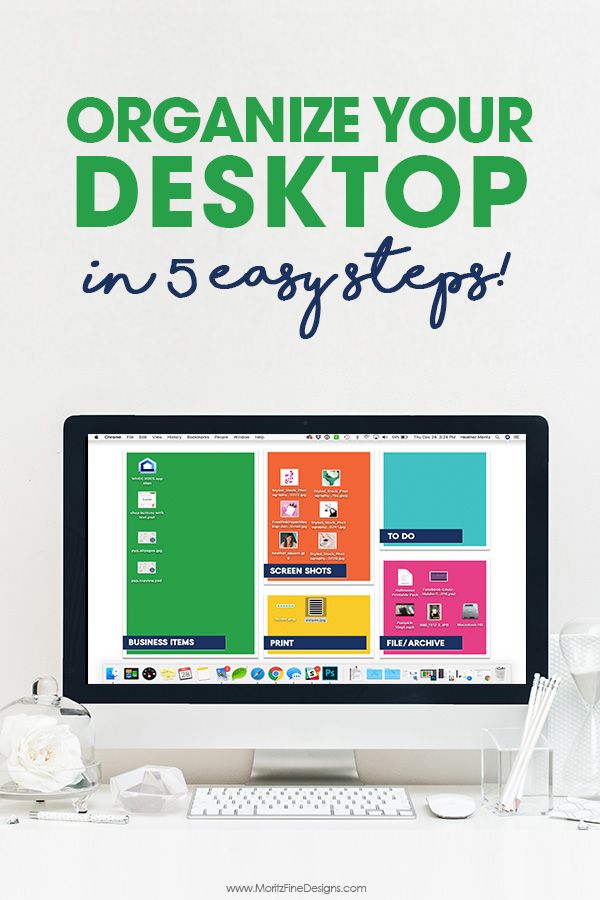
Every desktop comes equipped with icons, which represent applications, files, and folders. These icons are your direct links to the tools and information you need. By default, they are displayed in a list or as grid tiles. But you can customize this view for easier navigation.
Changing Desktop Views
Operating systems like Windows and macOS offer different ways to view your desktop. In Windows, you can switch between 'Show desktop icons' and 'Show desktop(only on primary monitor)' in the settings. Similarly, a Mac user can switch between icon sizes and list views.


Pro tip: To quickly show or hide desktop icons, you can press the 'F11' key on most Windows keyboards, and 'option + command + D' on Macs.
Desktop Customization
Beyond the default views, you can personalize your desktop. Adding a background image can enhance visual appeal and provide a subtle focus enhancement. You can also adjust the icon size and spacing for easier navigation.
Pro tip: Some operating systems allow you to create different desktops, each with its unique set of applications. This can help organize tasks and keep your work clutter-free.



Using Desktop Applications Effectively
Applications are the backbone of your desktop. Learning to use them effectively can increase your productivity.
Most applications use a combination of the interface elements - menus, toolbars, ribbons, and dialogues. Understanding these elements can help you navigate the application more quickly.
Menus and Toolbars
Menus, usually hidden under the application title bar, provide access to key commands. Toolbars, often beneath the menu, offer shortcuts to frequently used commands.


Pro tip: Learn the difference between a button, a tool, and a menu item. Each has a specific function and knowing this can speed up your workflow.
Ribbons and Dialogs
Ribbons, while not universal, provide a row of tabs at the top of the application window. Each tab combines related commands on a single strip. Dialogs, on the other hand, are pop-up windows that function as secondary interfaces, often used for customized settings or additional inputs.
Pro tip: Some applications may have hidden tools or commands. Check the application's settings or 'advanced' modes to discover more features.
The desktop is more than just a workspace; it's a canvas for your productivity. Understanding and customizing it can lead to a more efficient work environment. So, take some time to explore your desktop, its features, and unlock hidden tools to boost your productivity. Happy exploring!
Related Articles

Samsung Smart Tag Uses: Unlock Hidden Features
Discover the Versatility of Samsung Smart Tags: Enhance Your IoT Experience Samsung Smart Tags are ingenious, multifaceted tools that transform the way we...

Unveiling Cool Hidden Room Ideas: Unlock Your Space's Full Potential
Discover and design the extraordinary with cool hidden room ideas that transform your space into something truly unique. These secret spaces are not only fun...

Smartsheet Cool Tricks: Unlock Hidden Features
Unveiling the Liberating Power of Smartsheet: Master These Cool Tricks for Enhanced Productivity! Smartsheet, a versatile project management and work...

Boost Your Productivity: Key Features of Windows Desktop
Windows Desktop has been a staple in personal computing for decades, evolving with each iteration to offer a blend of productivity, user experience, and...

Mac Mini 2023 with Apple M2: Power Up Your Desktop
The Apple Mac Mini has long been a favorite among professionals and enthusiasts alike, and the latest 2023 iteration with the Apple M2 chip is set to continue...

Smart Creative Studio - Unlock Your Brand's Potential
In the dynamic world of digital art and design, a smart creative studio is more than just a workspace - it's a digital playground where innovation meets...